Age Filter: See What You Will Look Like When You Are Older
Curious about your future face? Upload one photo and our age filter shows you at about 60 or about 80 in roughly 20 seconds. It is still you, with the same features, skin tone and background, just decades older.
Log in with Google · 4 free credits · about 20 seconds
You can also paste an image with Ctrl/⌘+V.
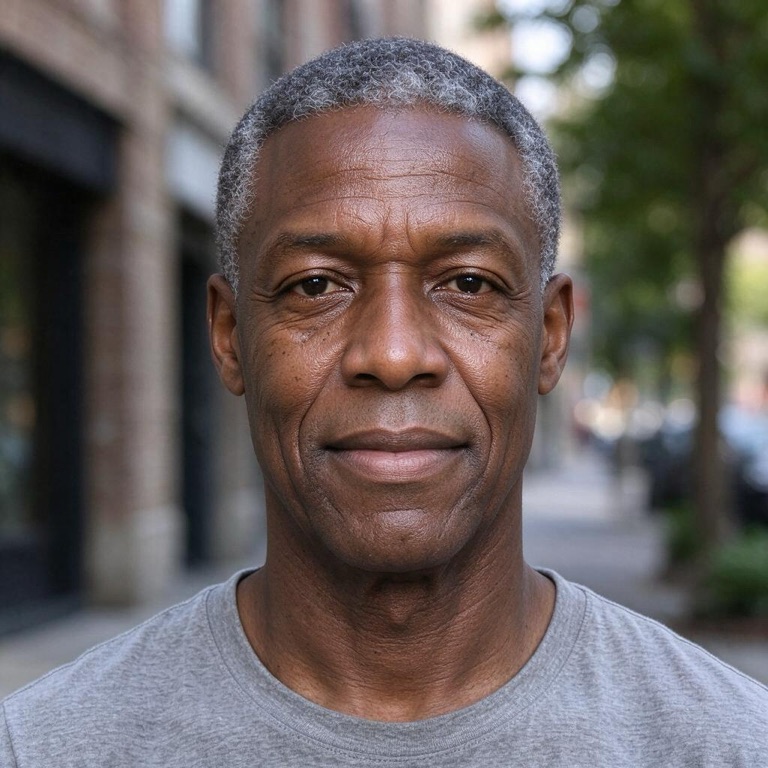
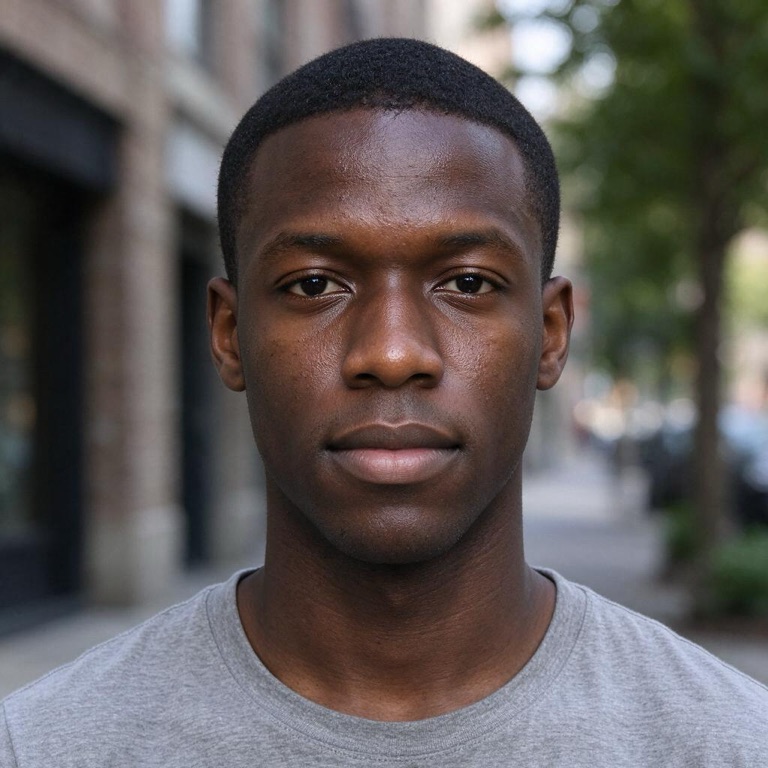 BeforeAfter
How to use the age filter
- Upload a clear photo of yourself. One face, looking at the camera, works best. You can also take a photo right on the page.
- Choose an age. Older shows you at about 60. Elderly shows you at about 80.
- Generate and compare. In about 20 seconds you get your aged portrait. Drag the slider to see the before and after, then download it or try the other age.
What the age filter changes, and what it keeps
This age filter adds realistic signs of time to your own photo. It does not swap your face for a stock older person.
What changes
- Lines and wrinkles. Forehead lines, crow's feet and smile lines appear, deeper in Elderly.
- Skin. The age filter adds a little looseness along the jaw and neck, and some age spots.
- Hair. Grey arrives gradually: about half grey at 60, mostly white or silver at 80, in your own hairstyle.
- Face shape. Cheeks and lips get a little thinner, and eyelids can droop slightly with age.
What stays the same
- Who you are: your eye shape and colour, nose, ears and expression.
- Your skin tone and ethnicity. The age filter is built not to lighten or darken your skin.
- Your hairstyle shape, beard style, clothes, background and lighting.
- No glasses or jewellery are added if you were not wearing them.
Best photos for an age filter
- Face the camera in good light. Daylight shows the skin detail the age filter builds on.
- Use an adult photo. The tool is for people 18 and over, and photos of children are blocked.
- Keep the face clear. Sunglasses, masks and hair over the eyes hide the features that need to stay the same.
- Skip beauty filters. Smoothed skin makes ageing look painted on, because the wrinkles have no real texture to follow.
- Keep your usual expression. A relaxed, natural face shows where your own lines would deepen over time.
| Photo | What to expect |
|---|---|
| Adult in their 30s to 50s | The most natural ageing |
| Very young-looking face | Works, though Elderly may age you a little less |
| Dim or heavily filtered photo | Lines can look flat; try a daylight photo |
Why people use an age filter
- Pure curiosity. Most people simply want to know how they might look in the future.
- Fun with family. Try the age filter on two people from the same family and compare the results side by side.
- A nudge to look after yourself. Seeing an older face can be a quiet reminder to wear sunscreen, sleep and stay active.
- Creative work. Writers, cosplayers and filmmakers use aged portraits to picture a character years later.
Some people also keep their result as a time capsule. Save the image today, and in ten or twenty years you can hold it next to a real photo and see how close it came. It is a surprisingly fun thing to look back on, and it costs nothing to keep.
Remember that no age filter can predict the future. Genes, health, sun and lifestyle all shape how a real face ages. Treat the result as one possible version of you.
Age filter vs aging apps on your phone
Live aging lenses on Snapchat or TikTok are fun for a video, but they redraw the whole face and often look rubbery. Our age filter works on one still photo, keeps your real features, and gives you a full-size image you can download and compare. If you want to see the details of an older face rather than a quick joke, a photo-based age filter is the better choice.
Privacy and safety
- Your upload is deleted as soon as your image is done. We don't keep it in our database or use it to train AI models.
- Results stay in your account for 30 days, and you can delete them at any time.
- Adults only. Photos must be of you or of an adult who agreed to it. Illustrations must be your own original character, not one from an existing franchise. Photos of children are blocked, and so are illustrated characters who are clearly young children. Art styles such as chibi are fine; nude or sexual artwork is always refused.
- No sexual content. Nude or sexual photos and artwork are rejected.
- A visual preview, not a prediction. Results show one possible look, made by AI.
Age filter FAQ
Is the age filter free?
Signing in with Google gives you 4 free credits, which make 2 images, enough to see both ages once. Each image uses 2 credits, at either age. Free accounts can make up to 2 images per day, and until you buy a pack, results show a small girlfilter.com mark in a corner. Credit packs are one-time purchases with no subscription; see pricing.
Can the age filter make me look younger?
Not at the moment. To keep everyone in the results clearly an adult, this age filter only adds years.
How accurate is the age filter?
It shows a believable older version of your face, not a medical forecast. Real ageing depends on genes, health and lifestyle.
Why didn't my skin tone change?
That is on purpose. Older skin keeps its colour, so the age filter keeps your skin tone and ethnicity exactly as they are.
Can I use a photo of my parents?
Yes, if they are adults and they agree. Please don't use someone's photo without permission.
What happens to my photo?
We use your photo only to create your age filter portrait, then delete it straight away. Aged portraits are kept in your account for 30 days, and you can remove any of them at any time. See the privacy policy for more.
More filters
Try the age filter now: upload a photo and see yourself decades older in about 20 seconds.